Network Protocols
A network protocol is a set of established rules that dictates how to format, transmit, and receive data on a network so that devices can communicate. Without these rules, computers would not have the capability to "talk" to each other across the Internet.
Learning Objectives
- 11.6.2.2 Explain network protocols and their role in data transmission.
Conceptual Anchor
The Diplomatic Protocol Analogy
International diplomacy has protocols: how to greet, who speaks first, what language to use. Network protocols are exactly the same — agreed-upon standards for devices. If a web server sends data in French (HTTP) and the browser only speaks Japanese (FTP), the communication fails.
Visualizing Protocols
Animated breakdown of common network protocols (TCP/IP, HTTP, FTP, SMTP, etc.) by PowerCert.
Rules & Theory
1. IP & Packets
Definition: Data traversing the Internet is divided into smaller pieces called packets. IP information is attached to each packet to help routers send them to the correct destination.
Structure: IP packets are created by adding an IP header (a series of bits) which records:
- Sending and receiving IP addresses.
- Header and Packet length.
- TTL (Time To Live): The number of network hops a packet can make before it is discarded (prevents infinite loops).
- The transport protocol being used (TCP or UDP).
2. Transport Layer: TCP vs UDP
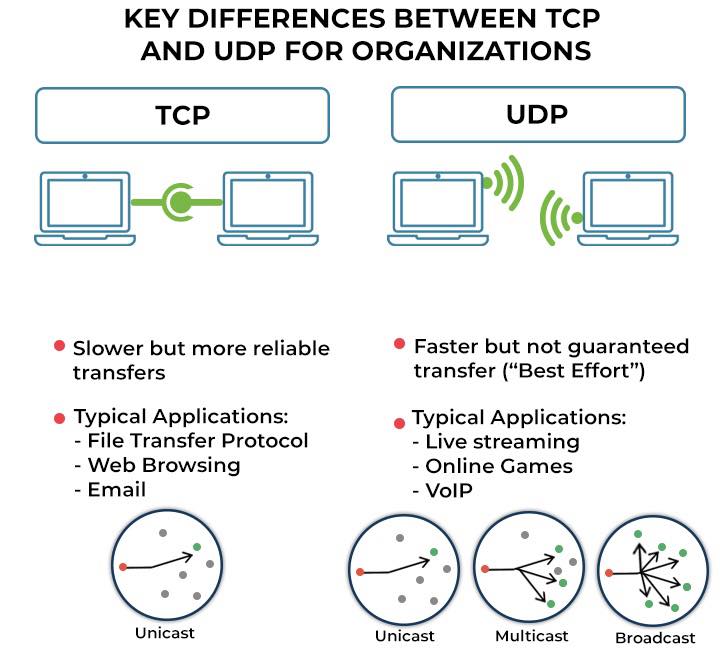
| Feature | TCP (Transmission Control Protocol) | UDP (User Datagram Protocol) |
|---|---|---|
| Connection | Connection-oriented. Opens a connection with the recipient before transmitting data. | Connectionless. Doesn't establish a connection before beginning transmissions. |
| Reliability | High. Ensures all packets arrive. Missing packets will be sent again. | Low. Does not make sure all packets are delivered ("best effort"). |
| Order | Ensures all packets arrive in order. | Packets may arrive out of order. |
| Speed | Designed for reliability, not speed. | Faster than TCP. |
| Applications | Web browsing, Email, File transfer. | Live streaming, VoIP, Online gaming. |
3. Web & File Protocols (Application Layer)
| Protocol | Full Name | Purpose & Details | Port |
|---|---|---|---|
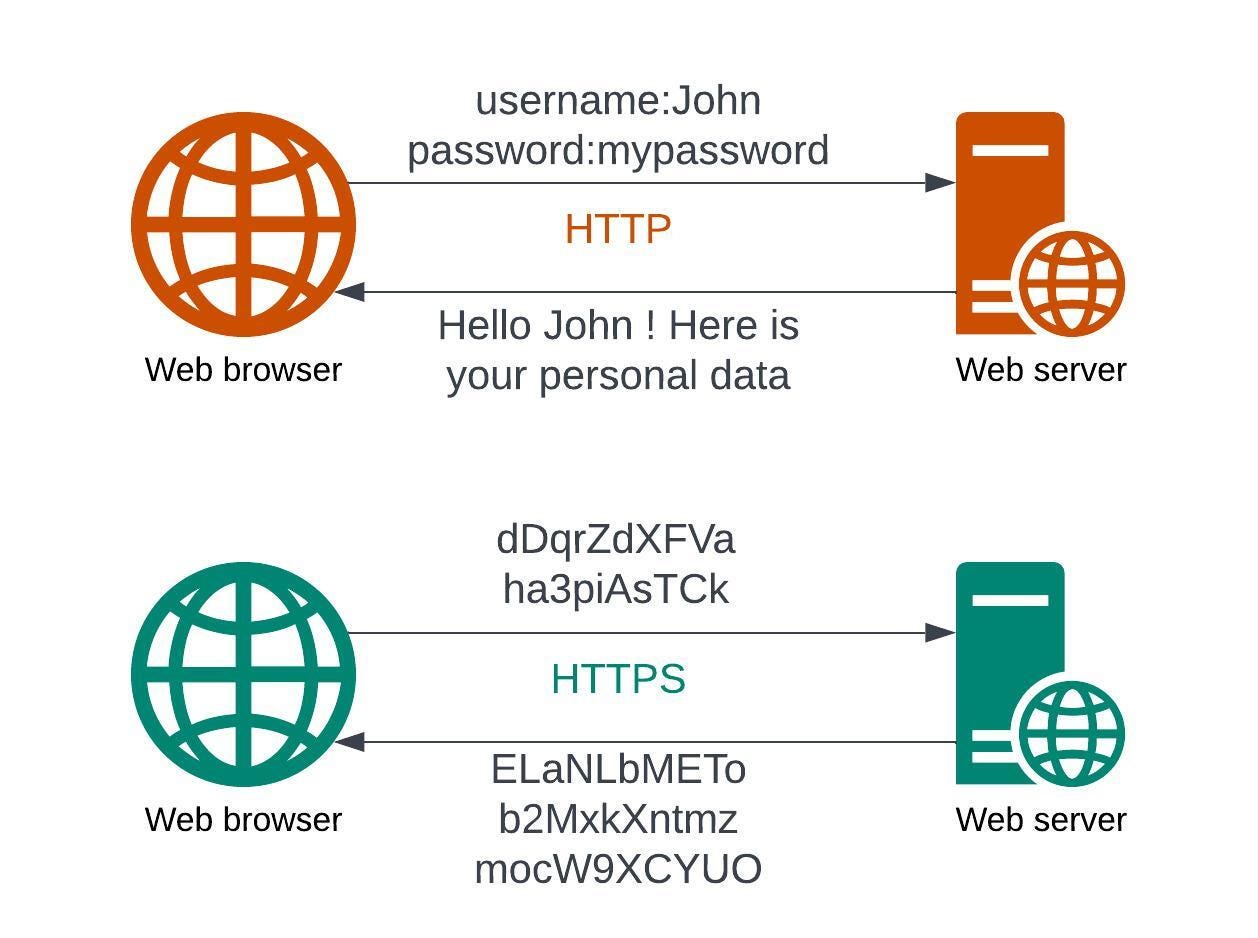
| HTTP | HyperText Transfer Protocol | Delivers data (HTML files, multimedia) on the WWW in plain text. | 80 |
| HTTPS | HTTP Secure | The secure version of HTTP. It uses TLS (Transport Layer Security), formerly SSL, to encrypt communications using asymmetric public key infrastructure. Essential for bank accounts and sensitive data. | 443 |
| FTP | File Transfer Protocol | Transfers files between computers on a network. Requires user access grants. | 21 |
| SFTP | Secure FTP / SSH FTP | Provides a secure connection to transfer files using SSH. Protects against password sniffing and man-in-the-middle attacks using encryption and cryptographic hash functions. | 22 |
4. Email Protocols
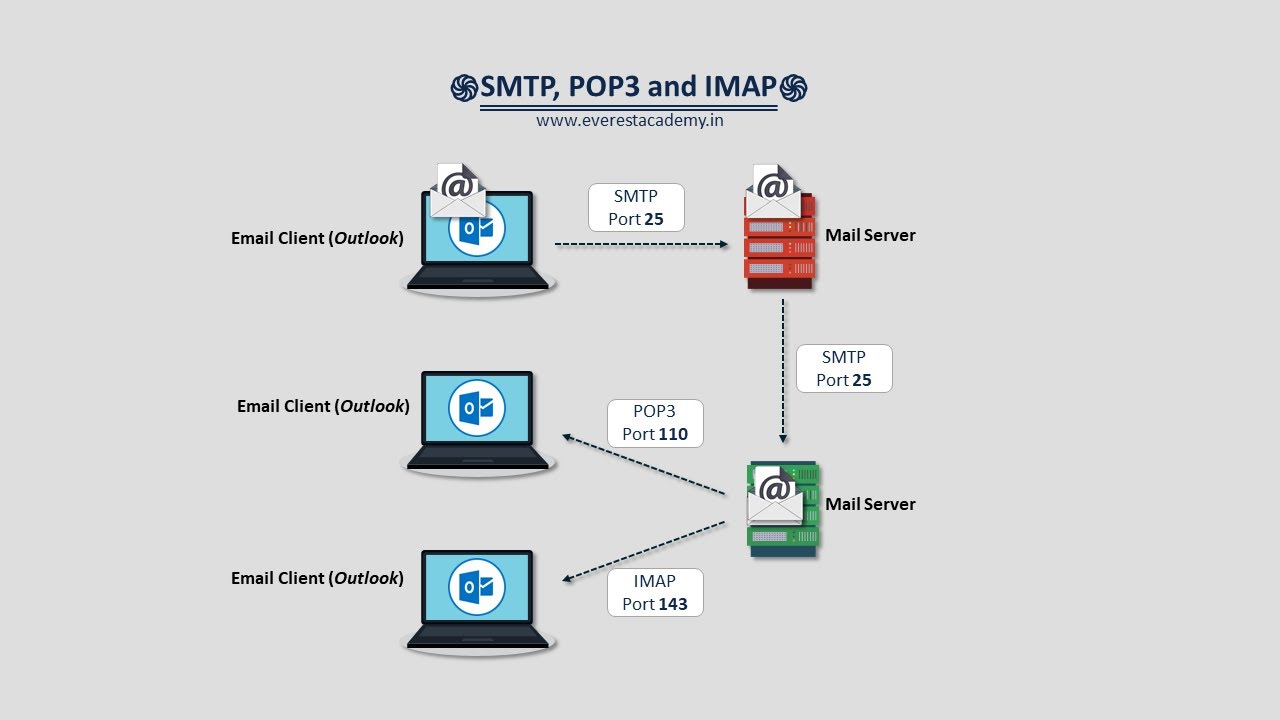
| Protocol | Function | Key Difference |
|---|---|---|
| SMTP (Simple Mail Transfer Protocol) | Sending emails. | Used by the client to push email to the server, and between servers to route the email across the internet. |
| POP3 (Post Office Protocol v3) | Receiving emails. | Downloads messages to the local computer and deletes them from the server. Good for reading offline. |
| IMAP (Internet Message Access Protocol) | Accessing emails. | Reads emails directly from the email service without deleting them from the server. Syncs across multiple devices (smartphones, tablets, PCs). |
5. Network Models: OSI vs TCP/IP
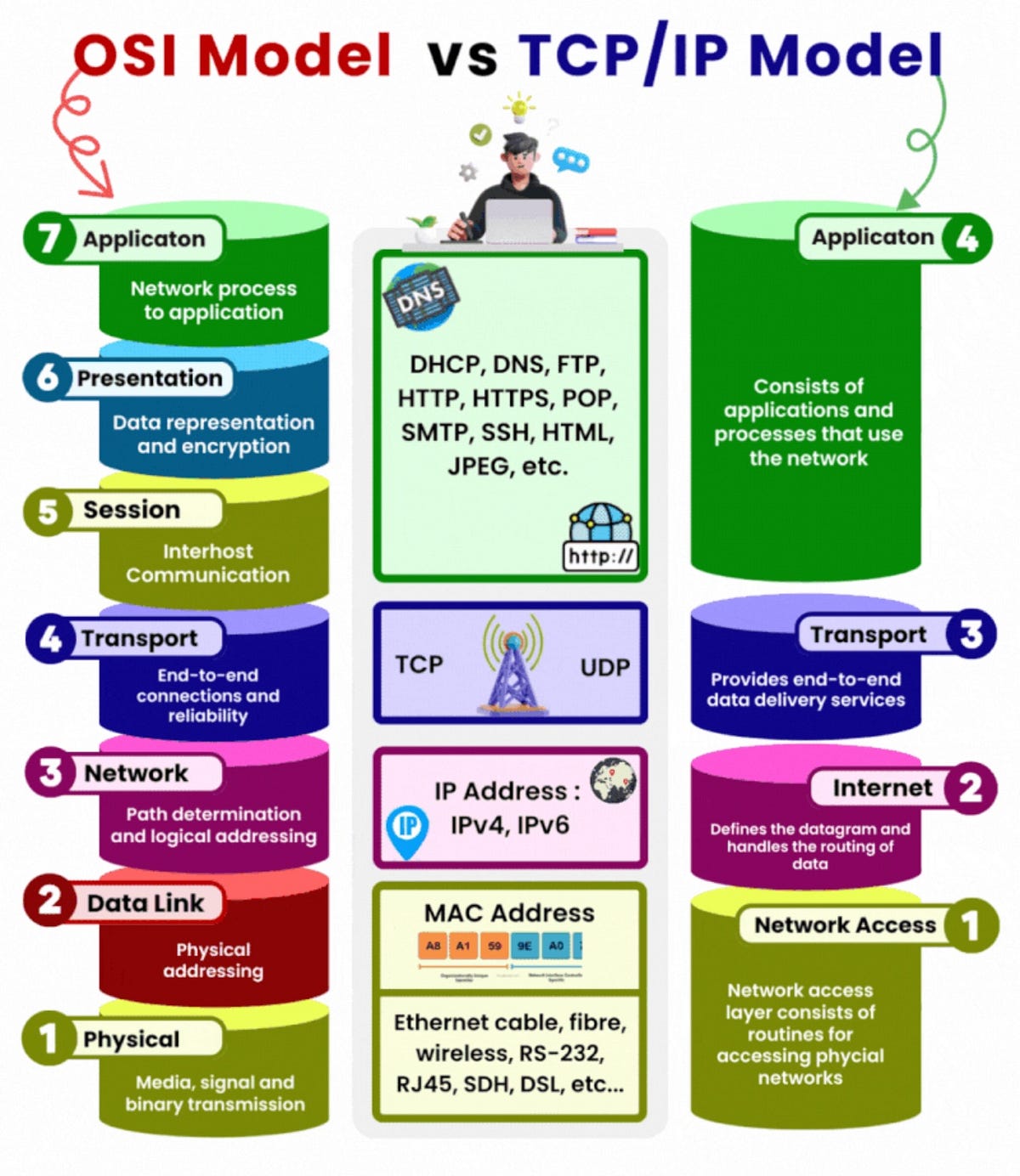
Worked Examples
1 Sending an Email (The Full Protocol Flow)
1. Client writes email. Mail client connects to sender's server via SMTP.
2. Sender's server finds the recipient's server (using DNS).
3. Sender's server pushes the email to the recipient's server via SMTP.
4. Recipient opens their phone. The mail app connects to the server.
5. The app uses IMAP to read the new email directly from the server.
Common Pitfalls
HTTP vs HTTPS Encryption
HTTP transmits data in plain text (meaning hackers can sniff the packets and read passwords). HTTPS encrypts data using TLS/SSL. The actual data inside the packet becomes unreadable ciphertext.
Tasks
Identify the purpose of the TTL field inside an IP packet header.
Explain why UDP is the correct transport protocol for a live video conference on Zoom, despite its lack of reliability.
A bank needs to transfer large database backup files to a remote server securely every night. Which specific protocol should they use and why?
Compare POP3 and IMAP. If a user primarily checks emails on their mobile phone while commuting, but sometimes uses a desktop at work, which protocol must the network administrator configure? Justify your decision.
Self-Check Quiz
Q1: Which protocol uses asymmetric public key infrastructure to secure web traffic?
Q2: If an email needs to be sent from Gmail's server to Yahoo's server, which protocol handles this transfer?
Q3: What does TCP do if a packet is lost during transmission?