Testing Methods
System testing evaluates the complete software system against its requirements. Good testing uses carefully selected normal, extreme and erroneous data and helps identify problems such as syntax, startup execution, runtime and logic errors before deployment.
Learning Objectives
- 12.5.3.2 Perform testing using normal data
- 12.5.3.3 Perform testing using extreme data
- 12.5.3.4 Perform testing using erroneous data
- 12.5.3.1 Describe execution errors at program startup
- 12.5.3.5 Describe a syntax error in a program code
- 12.5.3.6 Describe a logic error in a program code
Success Criteria
I can classify test data as normal, extreme or erroneous · identify important boundary values · construct a test plan with expected outcomes · compare expected and actual results · distinguish syntax, startup execution, runtime and logic errors · explain why a test passes or fails.
Conceptual Anchor
The Car Safety Test
Before selling a car, manufacturers test it in normal conditions, at extreme limits, and in unusual or invalid situations. Software testing uses the same principle: test ordinary inputs, test the exact boundaries, and test data that should be rejected.
The Testing Cycle
Testing starts from a requirement. A test should state the input, predict the expected result, record the actual result and then determine whether the test has passed or failed.
Why System Testing Is Needed
- Holistic validation: check that the complete system works as a whole.
- Requirement compliance: confirm that the system behaves as specified.
- Defect detection: find faults before users depend on the software.
- Risk mitigation: reduce the chance of costly or dangerous failures.
Types of Test Data
Suppose a program accepts an age from 17 to 70 inclusive. The same requirement can be tested with three different categories of data.
Normal Data
Typical valid values inside the accepted range. They should be accepted by the program.
25, 40, 55
Extreme Data
Valid values exactly at the lower or upper boundary. They should still be accepted.
17, 70
Erroneous / Abnormal Data
Values outside the valid range or data of an unacceptable form/type. They should be rejected.
16, 71, "twenty"
25
Boundary Visualiser
Boundary errors are common. A good tester does not only test the two valid limits; they also check values just inside and just outside the boundaries.
Boundary checklist
For a valid range min ... max, think about:
min - 1, min, min + 1,
max - 1, max, max + 1.
Test Plan
A test plan is a formal record of the tests that will be performed. It should state the data used, the type of test, the expected result and, after testing, the actual result.
- The scope or requirement being tested.
- The tests to be performed.
- The reason or type of each test.
- The input data.
- The expected outcome.
- The actual outcome and evidence after execution.
- Whether the test is accepted/passed or rejected/failed.
1 Age Validation Test Plan
Requirement: accept age values from 17 to 70 inclusive; reject other data.
| Test # | Input | Test Type | Expected Outcome | Actual Outcome |
|---|---|---|---|---|
| 1 | 25 |
Normal | Accepted | Accepted |
| 2 | 17 |
Extreme — lower | Accepted | Accepted |
| 3 | 70 |
Extreme — upper | Accepted | Accepted |
| 4 | 16 |
Erroneous | Rejected | Rejected |
| 5 | 71 |
Erroneous | Rejected | Rejected |
| 6 | "abc" |
Erroneous | Rejected | Rejected |
| # | Input | Length | Type | Expected | Why? |
|---|
After the Test
Once a test is performed, record the actual outcome and, where appropriate, evidence such as a screenshot. Compare it with the expected outcome to decide whether the test passed or failed.
Programming Errors — When Are They Found?
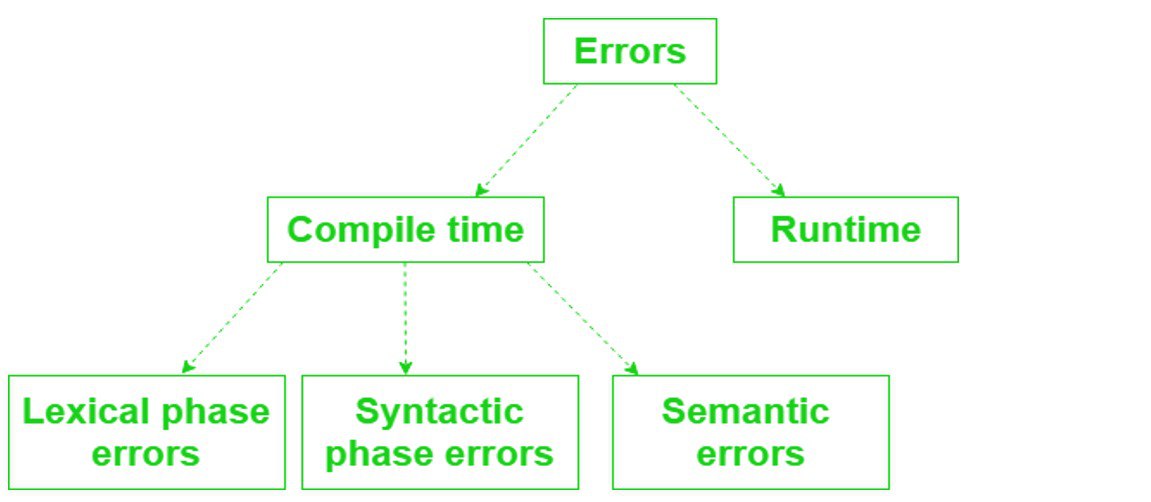
1. Syntax Error
The code violates the grammar of the programming language. The program cannot be successfully interpreted/compiled as written.
print("Hello"
2. Startup Execution Error
The program begins loading or initialising but cannot start correctly because a required resource, dependency or environment condition is missing.
required config file
or library missing
3. Runtime Error
The program has started but an error occurs while instructions are being executed.
answer = 10 / 0
4. Logic Error
The program runs, but a mistake in the algorithm or condition causes an incorrect result.
area = width + height
# should multiply
Video Explanation
Watch a visual walkthrough of testing and programming errors.
print("Hello"
Error Types in More Detail
2 Syntax Errors
Syntax errors occur when code violates the grammatical rules of the programming language. Examples include missing brackets, incorrect punctuation or malformed statements.
3 Execution Errors at Program Startup
These failures occur during initial loading or initialization after the program begins launching but before normal functionality is available.
- Environmental mismatch: required files, network, hardware or settings are unavailable.
- Resource conflict: a required resource is locked or unavailable.
- Dependency issue: a required external module or library cannot be loaded.
4 General Runtime Errors
Runtime errors are detected while the program is executing. They may stop the program or cause unexpected behaviour. Examples include division by zero, invalid file operations or resource exhaustion.
5 Logic Errors
Logic errors do not necessarily crash the program. The code can run successfully but produce the wrong output or behaviour because the algorithm or conditions are incorrect.
# Requirement:
# Accept age from 17 to 70 inclusive.

# Incorrect logic:
if age > 17 and age < 70:
    print("Accepted")

# Correct boundary logic:
if age >= 17 and age <= 70:
    print("Accepted")
Extension: Formal and Informal Logic Errors
| Formal Logic Error | Informal Logic Error |
|---|---|
| An error in Boolean, mathematical or conditional logic. | The code follows valid programming rules but implements the intended problem incorrectly. |
Example:
age > 17 AND age < 70
instead of inclusive boundaries.
|
Example: sorting a list in descending order when the requirement specified ascending order. |
Extension: Additional Testing Strategies
These strategies extend testing beyond normal/extreme/erroneous input data.
Internal testing by the development organisation before release to external users.
Testing by a limited group of real users in real-world conditions before final release.
Manual walk-through of an algorithm or code, often using a trace table.
Tests inputs and outputs without relying on knowledge of internal source code.
Tests internal paths, structures and logic with access to the program code.
Common Pitfalls
1. Testing Only Normal Data
A program can work for typical values and still fail at its boundaries. Always include extreme and erroneous data where relevant.
2. Calling Just-Outside Values “Extreme”
For a valid range 17–70, 17 and 70
are extreme valid data. 16 and 71 are erroneous.
3. Writing the Actual Result Before Testing
The expected result is predicted in advance. The actual result is recorded only after the program is executed.
4. Runtime Error vs Logic Error
A runtime error occurs during execution and may halt the program. A logic error allows the program to run but produces an incorrect result or behaviour.
5. Confusing Test Input with Expected Outcome
17 is the input. Accepted is the expected outcome.
Keep these as separate columns in the test plan.
Practice Tasks
Define normal, extreme and erroneous test data.
A program accepts marks from 0 to 100 inclusive.
Explain why 0 and 100 are extreme data,
while -1 and 101 are erroneous.
For the range 10–50, give values for:
just below the lower boundary, lower boundary, just inside lower,
just inside upper, upper boundary and just above upper.
Create a complete test plan for a password length of
8–20 characters. Include at least six tests.
Classify four short examples as syntax, startup execution, runtime or logic errors and explain when each error is detected.
A program accepts ages only when
age > 17 and age < 70.
Identify the defect and explain which test data would reveal it.
A test expected Rejected but the actual result was
Accepted. Explain what should be recorded in the test plan
and what this tells the developer.
Choose your own validation rule and design a test plan containing normal, extreme and erroneous inputs with expected outcomes.
Exam Practice
Q1: A program accepts an integer from 20 to 80 inclusive. Give one normal value and two extreme values. [3]
Reveal marking points
50.
Extreme: 20 and 80.
Q2: Give two examples of erroneous data for the same program. [2]
Reveal marking points
20, a value above 80,
or inappropriate non-integer data if the program expects an integer.
Q3: Describe a syntax error in program code. [2]
Reveal marking points
Q4: Explain the difference between a runtime error and a logic error. [4]
Reveal marking points
Q5: Describe one possible cause of an execution error at program startup. [2]
Reveal marking points
Self-Check Quiz
Q1: What is normal test data?
Q2: For a valid range of 17–70, what are the two extreme values?
17 and 70.
Q3: Why is 71 erroneous rather than extreme for the range 17–70?
Q4: What is the difference between expected and actual outcome?
Q5: What is a syntax error?
Q6: What is an execution error at startup?
Q7: How does a logic error differ from a runtime error?