Plagiarism & Copyright in App Development
Before submitting any project documentation, you must verify it for plagiarism using antiplagiarism tools and understand the copyright protection rules and software licenses that govern the use of others' work and code.
Learning Objectives
- 12.1.3.5 Check documents using antiplagiarism resources
- 12.1.3.6 List copyright protection rules and identify software licenses
Conceptual Anchor
The Fingerprint Scanner Analogy
An antiplagiarism tool works like a fingerprint scanner for text. It takes your document, breaks it into "text fingerprints" (phrases), and checks them against a massive database of published sources. If it finds a match, it flags that section as potentially plagiarized.
Plagiarism vs. Copyright Infringement: Plagiarism is an ethical offense (claiming someone's work as your own). Copyright Infringement is a legal offense (using someone's protected property without permission, even if you credit them).
Part 1: Plagiarism Verification
Antiplagiarism Resources
| Tool | Type | Key Features |
|---|---|---|
| Turnitin | Commercial | Industry standard for education; compares against student papers, journals, web sources. |
| MOSS | Free (University) | Measure Of Software Similarity. Designed specifically to detect plagiarism in programming code (Python, Java, C++). Ignores variable renaming. |
| Grammarly | Freemium | Checks grammar + plagiarism; compares against web sources. |
| SmallSEOTools | Free online | Quick web-based checker; good for initial screening of theory sections. |
| Antiplagiat.ru | Commercial | Popular in CIS countries; used by universities in Kazakhstan. |
| Quetext | Freemium | Deep search technology; highlights matched passages with sources. |
How Plagiarism Checkers Work
1. Upload document → 2. Tool breaks text into phrases → 3. Searches the internet and database → 4. Generates a similarity report → 5. You review and fix flagged sections.
Types of Plagiarism
| Type | Description |
|---|---|
| Direct copying | Copy-pasting text without quotation marks or citation. |
| Paraphrasing without credit | Rewriting someone's ideas in your words without citing the source. |
| Self-plagiarism | Reusing your own previous work as new work. |
| Mosaic plagiarism | Mixing copied phrases from multiple sources into your text. |
| Code Plagiarism | Using algorithms or code snippets from StackOverflow or GitHub without attribution. |
Consequences & How to Avoid
| Category | Details |
|---|---|
| Academic Consequences | Zero on assignment, academic probation, expulsion. |
| Legal/Professional Consequences | Job loss, reputation damage, lawsuits, fines (if copyright is infringed). |
| How to Avoid: Quote | Use quotation marks and cite the source. |
| How to Avoid: Paraphrase | Rewrite in your own words AND give credit to the original author. |
| How to Avoid: Checkers | Run your document through Turnitin or SmallSEOTools before submitting. |
Part 2: Copyright & Software Licenses
Copyright Protection Rules
| Rule | Description |
|---|---|
| Automatic protection | Copyright exists as soon as a work is created — no registration needed. |
| What's protected | Text, images, music, videos, software code, databases. |
| Duration | Typically life of creator + 50–70 years (varies by country). |
| Symbol | © followed by year and owner name (e.g., © 2026 mr. TEA). |
| Fair use | Small portions may be used for education, criticism, or research — with attribution. |
| Creative Commons | Alternative licenses that allow sharing/modification under specific conditions. |
Software Licensing Models
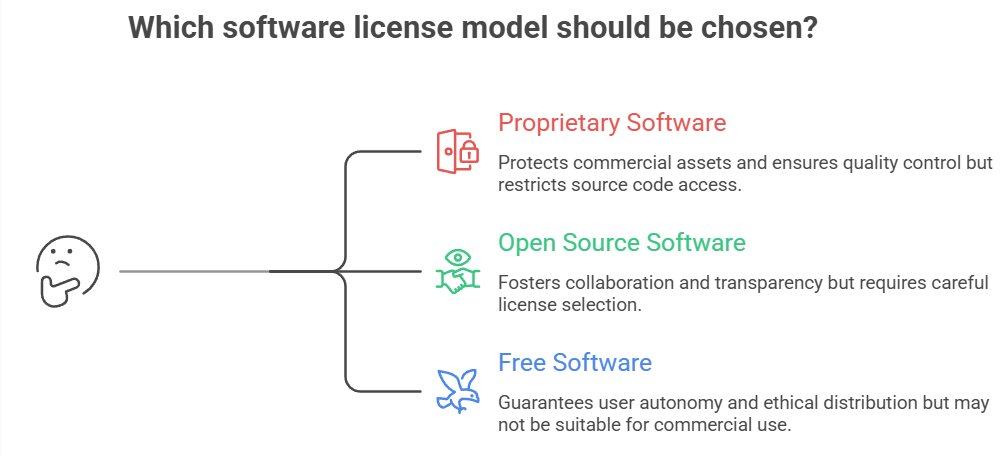
Because software is copyrighted, developers use licenses to explicitly tell others what they are allowed to do with the code.
| License Type | Key Rules & Features |
|---|---|
| Proprietary / Closed Source | Source code is hidden. Users pay for a compiled version. Governed by an EULA (End User License Agreement). Example: MS Windows, Adobe Suite. |
| Open Source (MIT License) | Very permissive. You can do anything (use, modify, sell) as long as you include the original copyright notice. Example: React.js. |
| Open Source (GNU GPL) | "Copyleft" license. You can use and modify the code, BUT any software you build with it must also be released as open-source under the exact same GPL license. Example: Linux Kernel. |
Common Pitfalls
"It's Free Online, So It's Not Copyrighted"
Just because something is freely available online does NOT mean it's free to use. Most online content IS copyrighted. Look for a license (Creative Commons, etc.) before using it.
"It's on GitHub, so I can copy it"
False. If a public GitHub repository does not have a `LICENSE` file, default copyright laws apply, meaning you have no legal right to use or modify the code.
"I Changed a Few Words, So It's Not Plagiarism"
Changing a few words (mosaic plagiarism) or renaming variables in code is still plagiarism. You must genuinely paraphrase and cite the source.
Tasks
Take a paragraph from a website. Use SmallSEOTools (or another free checker) to check it. Screenshot the similarity report and explain what it shows.
A student copies 3 paragraphs from a website into their project, changes a few words, and doesn't cite the source. Is this plagiarism? Explain with reference to the types of plagiarism.
You find a useful sorting algorithm on GitHub licensed under GNU GPL v3. Can you use this code in a proprietary app you plan to sell on the App Store without sharing your own source code? Explain.
Self-Check Quiz
Q1: What is the difference between plagiarism and copyright infringement?
Q2: Does software need to be officially registered to be protected by copyright?
Q3: What is the difference between the MIT license and the GNU GPL license?