User Interfaces (GUI, CLI, NLI, GRI)
A User Interface (UI) is the space where interactions between humans and machines occur. Choosing the right interface depends on the user's skill level, the hardware available, and the complexity of the task.
Learning Objectives
- 11.3.1.11 Identify the advantages and disadvantages of graphical user interface (GUI)
- 11.3.1.12 Identify the advantages and disadvantages of command line interface (CLI)
- 11.3.1.13 Compare the graphical user interface (GUI) and the command line interface (CLI)
- 11.3.1.14 Explain the advantages and disadvantages of Natural Language (NLI) and Gesture Recognition (GRI) user interfaces
Conceptual Anchor
The Restaurant Analogy
Think of interacting with a computer like ordering food at a restaurant:
- GUI: Pointing at pictures on a menu. Very easy, but you can only order what is shown.
- CLI: Writing a highly specific text ticket directly to the chef. Requires knowing the exact culinary terms, but allows for infinite customisation.
- NLI: Speaking normally to the waiter. Natural, but the waiter might misunderstand your accent or context.
- GRI: Using hand signals to the bartender across a noisy room. Great when you can't speak or type, but gestures must be precise.
Choosing the Right Interface
There is no single "best" interface — the right choice depends on several practical factors. Use this checklist whenever you compare interface types:
| Factor | Question to ask | Typical effect on choice |
|---|---|---|
| User skill level | Is the user a beginner, casual user, or trained specialist? | Beginners → GUI / NLI. Trained specialists (admins, developers) → CLI. |
| User age / accessibility needs | Does the user have physical, visual, or cognitive limitations? | Young children and users with disabilities often benefit from NLI or GRI. |
| Environment of use | Is the setting sterile, noisy, hands-free, or a quiet office? | Sterile/hands-free environments → GRI. Noisy environments → NLI becomes unreliable. |
| Hardware / equipment cost | Can the organisation afford cameras, sensors, or microphones? | Low budget → CLI or GUI. Larger budget → GRI (sensors) or advanced NLI systems. |
| Speed & scale of the task | Is this a one-off action or a repetitive task across many devices? | Repetitive / large-scale tasks → CLI (scripting and automation). |
Rules & Theory
STRICT RULE: DO NOT USE BRAND NAMES
When giving examples of interfaces, use generic terms. Instead of saying "Siri" or "Alexa", use "Virtual Voice Assistant". Instead of "Windows", use "Desktop OS with a GUI".
Graphical User Interface (GUI) vs. Command Line Interface (CLI)
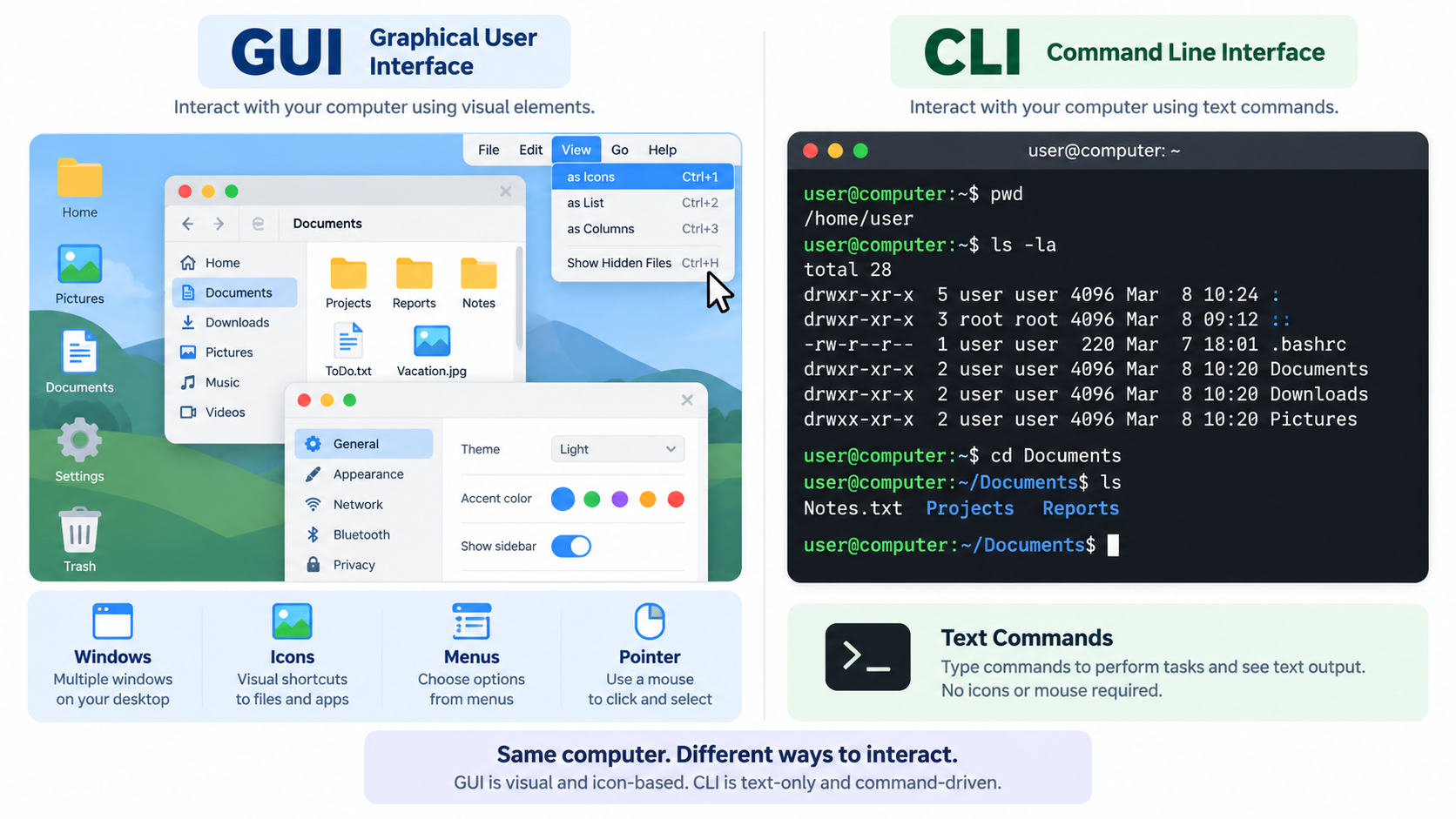
| Interface Type | Advantages | Disadvantages |
|---|---|---|
| GUI (Graphical) Interaction via windows, icons, menus, and pointers. |
|
|
| CLI (Command Line) Interaction exclusively through typing text commands. |
|
|
Natural Language (NLI) and Gesture Recognition (GRI)
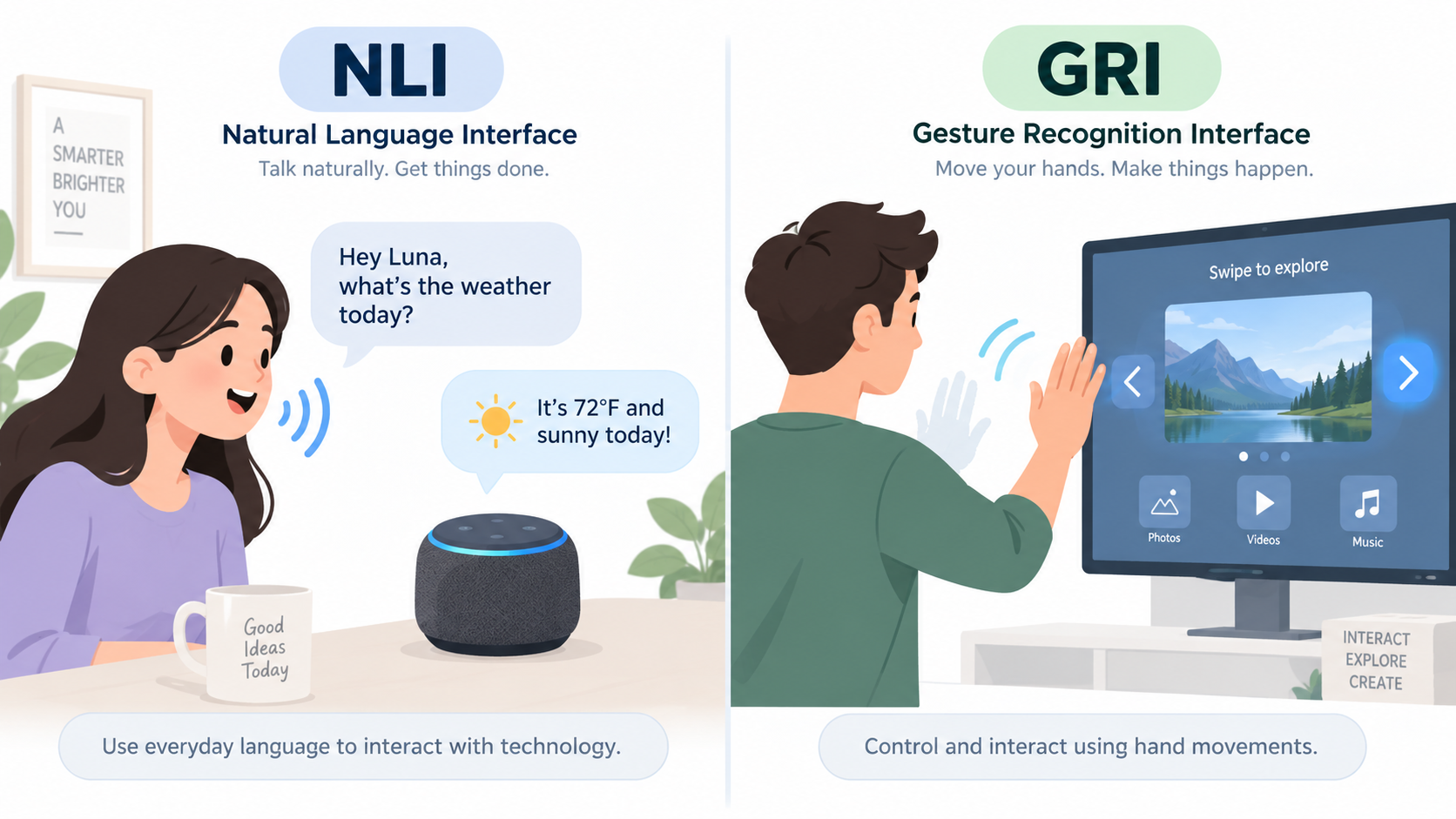
| Interface Type | Advantages | Disadvantages |
|---|---|---|
| NLI (Natural Language) Interaction by speaking everyday human language. |
|
|
| GRI (Gesture Recognition) Interaction via body movement and hand signals. |
|
|
Critical Thinking: NLI and Privacy
NLI systems must record and process audio to work. Before they respond, they may send your voice data to a remote server for analysis. Consider: Who owns that recording? How long is it stored? Could a device "listening" for a wake word raise privacy concerns even when not actively being used? This is a key AO3-style evaluation point beyond the basic advantages/disadvantages.
Summary: All Four Interfaces Compared
| Criterion | GUI | CLI | NLI | GRI |
|---|---|---|---|---|
| Speed to learn | Fast | Slow | Fast | Moderate |
| Speed of use (once learned) | Moderate | Very fast | Moderate | Moderate |
| Hardware / setup cost | Low | Very low | Moderate | High |
| Accessibility for users with disabilities | Limited | Limited | Strong | Strong (motor-limited users may still struggle) |
Worked Examples
1 Selecting the Right Interface
Scenario A: A network administrator needs to update IP configurations on 500 servers simultaneously.
Selection: CLI
Reasoning: CLI allows for scripting and task automation. Attempting this via GUI on 500 individual servers would be too slow.

Scenario B: A surgeon in a sterile operating theatre needs to navigate 3D X-Ray scans without touching unsterilized hardware.
Selection: GRI
Reasoning: Gesture Recognition allows interaction without physical contact, maintaining the sterile environment.

Scenario C: An elderly user with no prior computer experience wants to browse family photos on a tablet.
Selection: GUI
Reasoning: A GUI uses recognisable icons and touch/pointer interaction, requiring no memorised commands and minimal training.

Scenario D: A driver wants to change the destination on their car's navigation system while keeping both hands on the wheel.
Selection: NLI
Reasoning: Natural Language Interfaces allow hands-free, eyes-on-the-road control, which is critical for safety while driving.
Common Pitfalls
"CLI is an outdated technology."
False! While GUIs dominate consumer software, CLI remains the absolute industry standard for software developers, server administrators, and cybersecurity professionals due to its raw speed, low resource usage, and automation capabilities.
"NLI and GRI are basically the same thing — both let you skip the keyboard."
False! They use completely different input methods. NLI processes spoken or typed natural language (words and sentences), while GRI processes physical body movement (hand or body position, tracked by a camera or sensor) — no speech is involved. A user could have a voice-controlled assistant fail because of background noise (an NLI problem) while a motion-controlled game fails because of poor lighting or an unrecognised gesture (a GRI problem) — the causes of failure are entirely different.
Interactive Group Tasks
GUI vs. CLI Showdown
Instructions: The class is divided into two factions: "Team GUI" and
"Team CLI". You have 5 minutes to prepare arguments proving why your assigned
interface is superior.
Focus on: Speed, learning curve, resource consumption, and automation.
Prepare questions to challenge the opposing team!
Exploring NLI & GRI
Instructions:
1. Think (Individual): Group A researches Natural Language
Interfaces (NLI). Group B researches Gesture Recognition (GRI). Identify 2 core
advantages and 2 flaws.
2. Pair: Find a partner from the opposite group.
3. Share: Teach your partner about your interface. Together, write
down one real-world scenario where NLI is better, and one where GRI is better.
Stump Your Classmates
Instructions: Formulate two complex questions about today's topic (e.g., "In what situation would an NLI be dangerous to use?"). Ask the class. The student who answers correctly gets to ask their question next.
Interface Detective
Instructions: Working alone, classify each of the following as GUI, CLI, NLI, or GRI, and justify your answer in one sentence:
- A server admin console used to configure network routers.
- A voice-controlled smart speaker that plays music on request.
- A motion-tracking system in a VR headset used to "grab" virtual objects.
- A file manager with drag-and-drop folders and icons.
- A photo-editing app that lets you swipe your hand to rotate a 3D model.
- A script that automatically renames 1,000 files at once from a terminal.
- A smart TV that responds to spoken commands like "turn up the volume".
- A tablet app for children that uses only large picture buttons.
Remember: describe devices generically — do not use brand names.
Self-Check Quiz
Q1: Which interface is the most resource-intensive (uses the most RAM/CPU)?
Q2: Identify one major disadvantage of using a Command Line Interface.
Q3: Why might an NLI fail to execute a command correctly?
Q4 (Apply): A warehouse worker needs to update inventory records while wearing thick gloves and carrying boxes in both hands, in a loud environment with constant machinery noise. Which interface should be chosen, and why?